Yesterday eBrandon received its biggest update in more than a decade. The popular classifieds section was no exception, with updates aimed at making it easier to post, easier to browse and easier for seller and prospective buyer to connect. In the day since the new site’s been live there have already been a ton of ads posted. Its great to see folks aren’t having trouble finding the ad submission links, especially at a time of the year that would normally be quite a bit slower for ad submissions in the run up to Christmas. In case you havent already found them, I’d like to use this post to more formally introduce a few of the new additions and changes.......
TWO WAYS TO VIEW ADS
There are now two distinct views you can switch between any time you’re browsing a category. By using the two buttons that look like this:
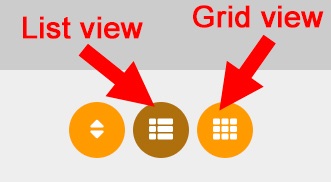
you can easily flip back and forth between list view mode and grid view mode. List view is best described as a cleaned up version of the more traditional way of browsing the classifieds. Grid view is a much more visual way of scrolling through ads, with the tradeoff being less text to read about each individual ad until you click on it. The default view is list but if you love looking at ads on a Grid as much as I do you have the option to make Grid your default through your member account settings rather than having to click on the icon every time. Both views are available in all screen sizes, from smartphone on up to desktop. I love grid personally and have had it set as my default but IMO it would’ve been too big of a change to not have list be where folks start!
FILTERING/SEARCHING
The design challenge was taking a system that would be powerful and easy to use and find a way to consistently apply it on larger desktop screens along with smaller mobile screens. If you’re on desktop and looking at a listing of ads you’ll see a whole bunch of fields in the right-hand column that let you narrow down what you’re looking at. That could be by keyword, price, tag, city or ad status. By checking any combination of the boxes you get a lot of flexibility to hone in on the type of ad you hope to find. This filtering is available not only on classified category listing pages, but also if looking at your own favourited ads, lists of other posters’ ads or even looking at your own ads for editing if you happen to have a lot posted.
On mobile the exact same filter menu is available. Because screen space is at a premium you get access to filters by clicking on the icon at the bottom-right of the screen when browsing a listing of ads.
SEEING STARS EVERYWHERE YOU LOOK!
If you’ve spent any amount of time browsing ads since we flipped over to the new design you’d be hard pressed not to notice the star icon next to each ad (in list or grid view modes). By clicking on that icon you’re given a super easy hook into building a list of favourite ads in your user account. You can then return any time on any device to check out more easily the list that you’ve built. If an ad is already favourited, you can also click on the same star to unfavourite it.
SUBMITTING AND MANAGING ADS THROUGH AN ACCOUNT
I’m gonna be honest. Account integration on the old eBrandon was ugly. Because the classifieds were originally built without accounts in mind, I bandaided on a separate link that you’d have to use to post ads through an account. Things got real confusing when folks used the wrong link or didn’t post the way that the system needed them to post. When people did get their ads posted and linked to their account it was a great thing since there was no need to manage IDs and passwords for every ad, deal with confirmation emails et all…. but it was getting to that point that was tricky.
Now its easy peasy. One single place to submit ads regardless of whether or not you have an account. Just be logged into your account when submitting and the site will connect the dots. A list of all ads you’ve posted will show in the “Posted ads” link in your site menu. Use that link to quickly and easily edit/delete your ads. If you have a lot of ads, as mentioned above you can make use of the new filtering tools to find them.
When you post an ad, the site also now shows a link to your user profile page right on each of your ads and provides a link into your other ads. If you’ve added a profile picture through the “profile settings” link in the site menu it’ll also show your pic right on your ads along with how long you’ve been a member. In a world of less and less face to face contact its nice to have a more personal touch on ads... not to mention its a great option to be able to give your prospective buyers a better idea of who they’re dealing with.
Also with this update I’m expecting a lot less ads to be held up in the “admin approval required” state.
At any rate I cant stress enough that while the site still does accept ads posted anonymously without an account, posting as a signed up member is by far the best experience for the seller. Over time as more and more folks post while logged in there are some great options to make for a better and safer experience for buyers too!
A BETTER VISUAL OF WHAT ADS ARE "HOT"
A couple different ways to quickly see what ads have caught more peoples’ attention.
On the front page in the classifieds area you can now see a list of what ads are “trending.” To be in a list an ad must have been posted recently (in most cases today) and reached a certain level of popularity. This same list is also available at the bottom of the main eBrandon classifieds page.
Also when you’re browsing a list of ads you’ll notice that some have a flame icon over top of their image. This icon denotes that the ad has reached a designated level of popularity.
BITS AND PIECES
- another setting you have the ability to change in your account settings is your default city/town. If one is chosen, you’ll see a link right on the main classifieds page that’ll take you straight to ads from your town. If you're from outside of Brandon, making of use of setting is also a great way to save yourself having to select your town every time you're submitting a new ad.
- for categories where its relevant like Homes for Sale, Homes for Rent or Garage Sales maps now work for more than just Brandon. Just pick your town, fill in your address in the corresponding box on the ad submission page and you’re set.
- the amount of pictures that show up upside down because of a glitch in phone cameras has been reduced greatly.
- this one is a bit of give and take, but phone numbers no longer show right on the ad listing page by default. Reason being it makes it way to easy for out of province scammers to easily rip through and send their text messages. You'll see phone numbers mainly on individual ad listing pages.
- you might have noticed that ad posting times are shown a little differently in ad listings. If an ad was submitted today it shows how many minutes or hours ago it went online. If an ad is a little older than that but within the last seven days it'll say the day of the week along with the time it was posted on that day. If its even older than that it will say the date and the time. I find this gives browsing ads a little more feeling of currentness yet is still specific on when an ad went up.
- One question I’ve had a few times has come from people who had posted ads that aren’t through an account on the old site but they want to make sure those ads are linked to their account when they’re browsing the new site and going to their “Posted ads” link. Because of how cumbersome the setup was on the old setup this link isn’t automatically made but if you have ads that you want linked into your account just drop me a note through the Contact link in the main site menu and we’ll sort things out.
Hard to think in a post this long that I might’ve forgotten something, but its been that big of a project and so there might be another easter egg or two to mention in the future. I’ll be watching things in the coming days as there are sure to be some tweaks that need to be made. If you have any questions at all please dont hesitate to drop me a note!