In this second of a series of postings on the new eBrandon I’d like to focus on what I’ve been saying is for all intents and purposes a new section: the Events section.
If you’d tried to use the events area of the previous eBrandon you were probably underwhelmed. All content mashed on one big page, hard to read with no consistent formatting, no pictures, hard to search. If you’d tried posting your own events you probably came away with a similar impression as posting was a clunky process, you had to wait as much as several days for approval and you couldn’t edit your postings after they went up.
Needless to say when it was time to re-do eBrandon, Events were a major focus and have been totally re-imagined to be better at all of the things noted above that it wasn’t earlier this week. You’ll also see a lot of consistencies with the flagship Classifieds section since thats what users will be familiar with. Below is a little more depth on changes….
Browsing events
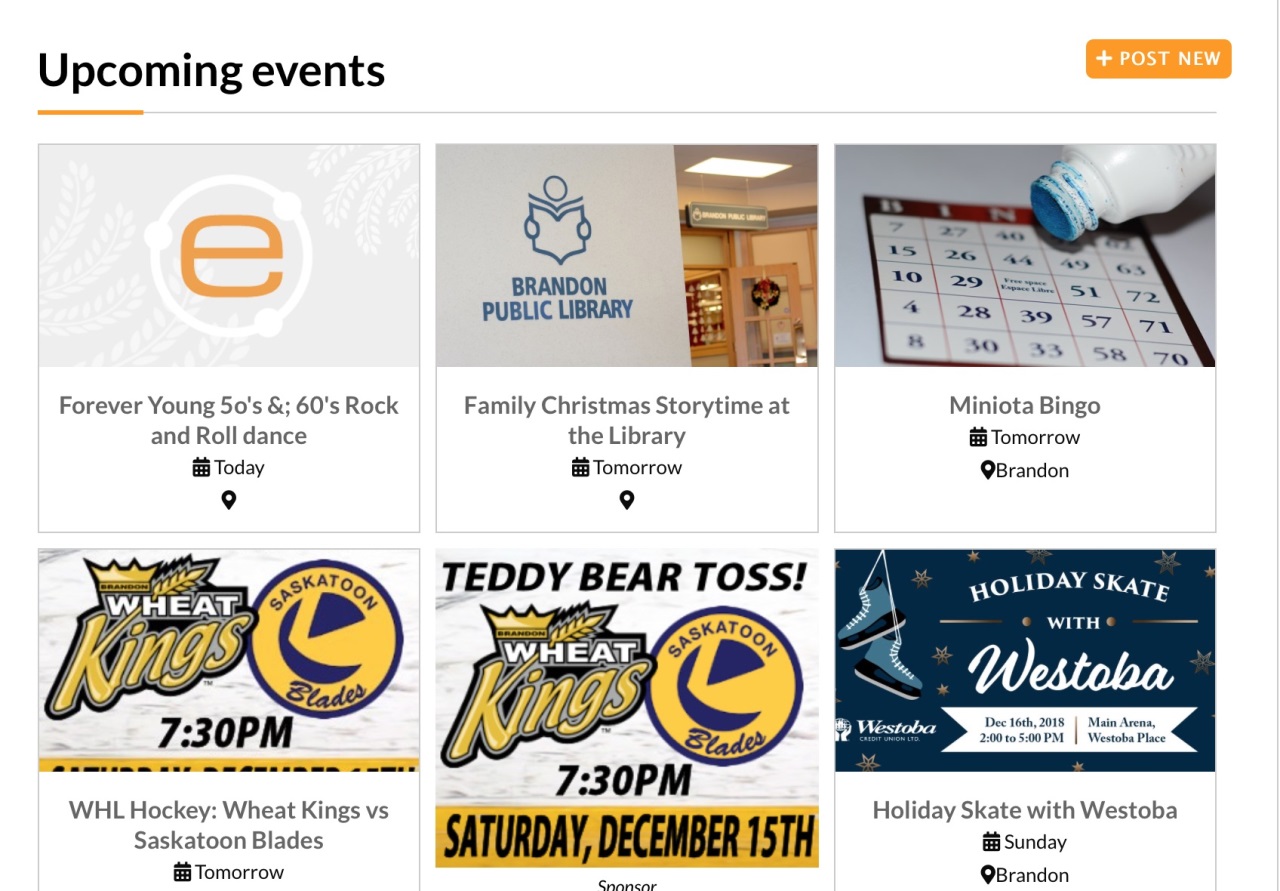
When you first bring up the page you’ll see a listing of events starting with today and sorted into the indefinite future. Included on each event are the most pertinent initial info…. the day it’s on and where it takes place.
By default, looking through the list of upcoming events is a more visual experience. Those posting listings have the option to select a photo (a picture or in many cases probably poster) and that picture is a big part of what you see when looking through everything. If you prefer more of a text-based list to browse you’ll see icons on your screen that let you flip back and forth between “grid” and “list” view modes.
Searching postings has been given a ton of power. On tablet or desktop you’ll see in your right-hand column an assortment of ways you can break down your search… by keyword, by date, event type and city/town. Simply select the parameter you’d like to search by and the list will update with what’s more relevant to what you’re looking for. You’ll also notice an orange sort icon that lets you change how events are sorted if for example you want to see which events were posted the most recently in stead of what is coming up the soonest. On smartphone the filter and sort icons are available at the bottom of your screen in stead of in the right-hand column.
Browsing has a lot of consistencies with the classifieds and thats by no accident. Folks will be familiar with how that section of the site work and wont face much of a learning curve in being able to quickly find events that are relevant to them.
Looking at an event of interest
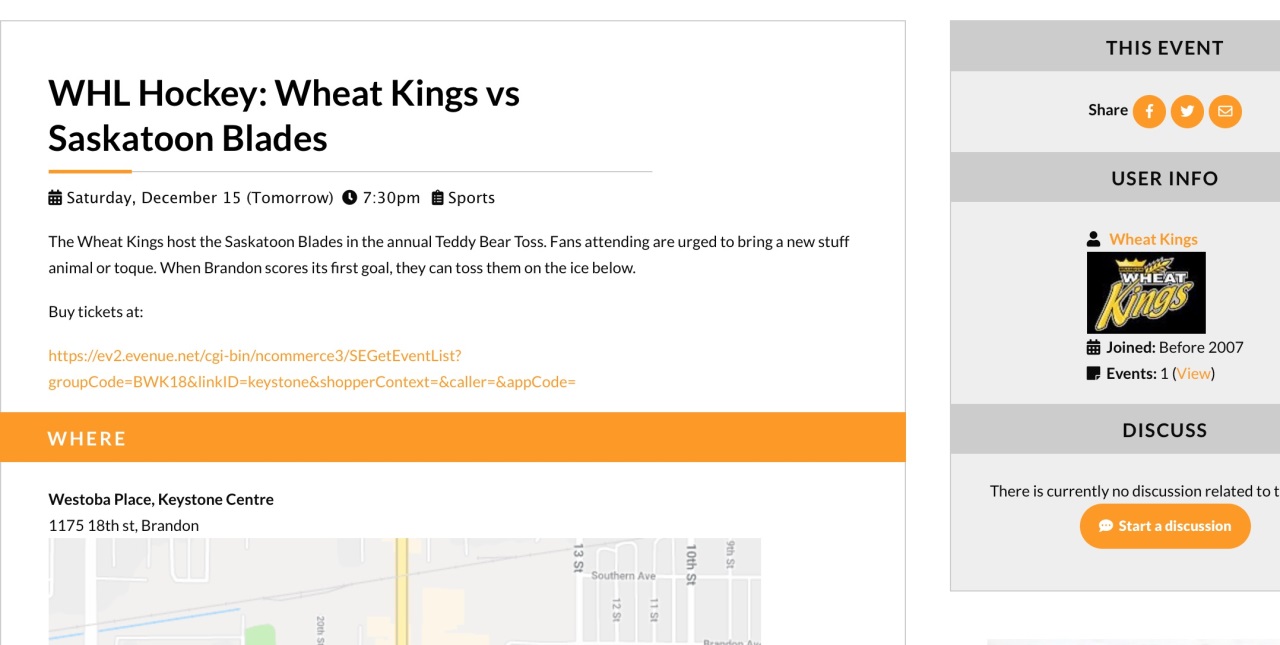
Once you’ve found an event you’re curious about, click for more details. Normally redundant to say but the old events calendar didn’t even have that ability!
On the page that comes up you’ll see the detailed description of the event, the when, the where, a bigger picture if applicable. You’ll also be able to easily share it elsewhere online if there are folks in your sphere that might also be interested.
Another option that’s kind of fun is the ability to automatically start a discussion on an event. Right on a listing page you’ll see a link to start one. When started the discussion link will automatically be included in the event… and a link to the event will automatically be made prominent in the discussion. There are a lot of events that folks like chatting about and this should provide a great option for that… with the only caveat being that I’d appreciate if the forums not be used to directly promote one’s own event. That doesnt mean you cant start a discussion on your event if its more in a reach-out fashion, looking for ideas and feedback from folks! If anyone has any questions on this part of things just let me know!
Posting an Event
There are two ways you can post an event… without an eBrandon account and with one.
The recommended method is with an account since it lets you list events immediately and it gives you the ability to come back any time and make changes.
Submitting through either method is done through the exact same “Post new” orange button at the top-right of the listing of events on the events page. If you’d like the benefits of posting with an account, just make sure you’re logged in when posting and you’re set. If that’s not important to you and you’re cool with waiting a day or two for your listing to make it up then you won’t have to worry about it.
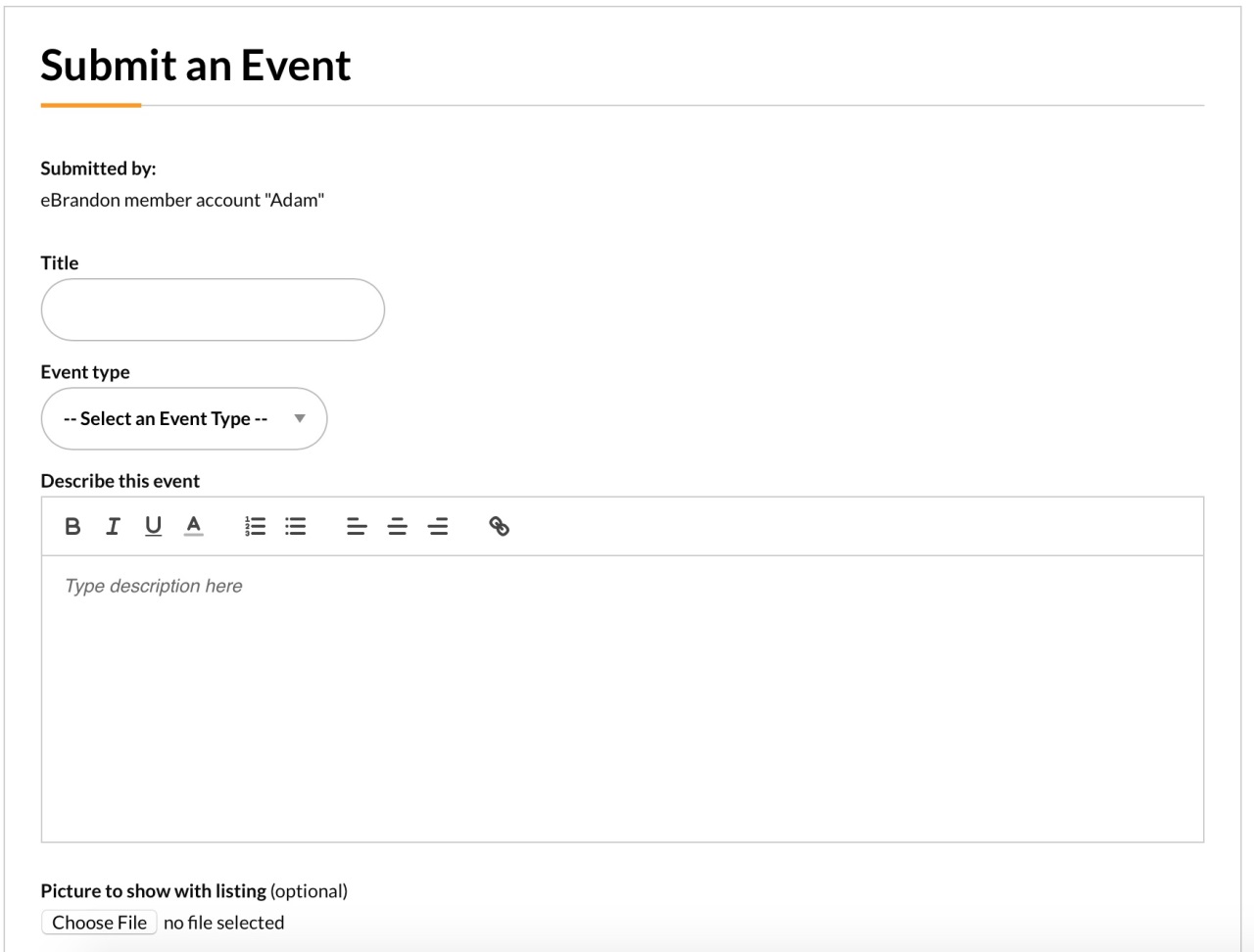
If I’ve done my job properly the submission page itself should be fairly self-explanatory as far as what to fill out. Note at the bottom the updated “recurring event” option that lets you choose to automatically list a regular event that you have scheduled and be more specific about the dates that its on that what you might’ve seen on the old eBrandon.
If you’ve submitted through your member account (personal or business), you can access your postings for events any time through the link in your main site menu.
Welcome aboard Westman!
I know that my family likes to learn about events that are happening all throughout Southwest Manitoba and are always looking for fun day trips. One of the things the old calendar was embarrassingly bad at was accommodating more than just Brandon. The new calendar lets you select a city/town from the same list of towns used elsewhere on the site. Events in any town can also include their address and have their map shown on their event. If you’re involved with an event anywhere in Westman, we want to hear from you. I’ve made a habit that as much as I called the site eBrandon, for all intents and purposes its a Southwestern Manitoba site and its exciting for the events section to now be setup to reflect that
Bits and Pieces
-On the main events page you’ll notice a couple of relevant links that are worth keeping in mind… links to movie listings and links to restaurant menus via Dash
-At the bottom of an event listing you’ll see a few boxes of related content. One showing related events in the same category, one showing “hot” (i.e. most viewed) events and another showing the most recent submissions. Boxes along these lines can also be seen throughout other popular sections of eBrandon.
Thanks for reading! It was long but when a guy puts in this much time into a revamp he wants to leave no stone unturned :)
If anyone has any questions, be it on the posting or browsing side of the ledger don’t hesitate to drop me a note. If you’re involved with a business or organization that would like a quick visit for me to show you how it all works in (even more :)) detail don’t be shy to be in touch!